Kongvene app icon Kongvene ← Back home
Version 1.3.2 — iPhone and Android

What’s new in Kongvene

RSVP without the app, a set for every table, a calmer Activity tab, and a round of fixes from our players’ feedback. Now on iPhone and Android.

RSVP by link. No app needed.

Not everyone wants another app. Organizers tap “Share RSVP link” on a play day and drop it in the group text. Friends tap it, type a first name, and pick I’m in, Maybe, or I’m out from any phone or computer. Their seat shows up in Kongvene marked “via link,” and organizers get the usual heads-up. Only a first name and an answer are saved, and links stop working two days after the game. See how it works.
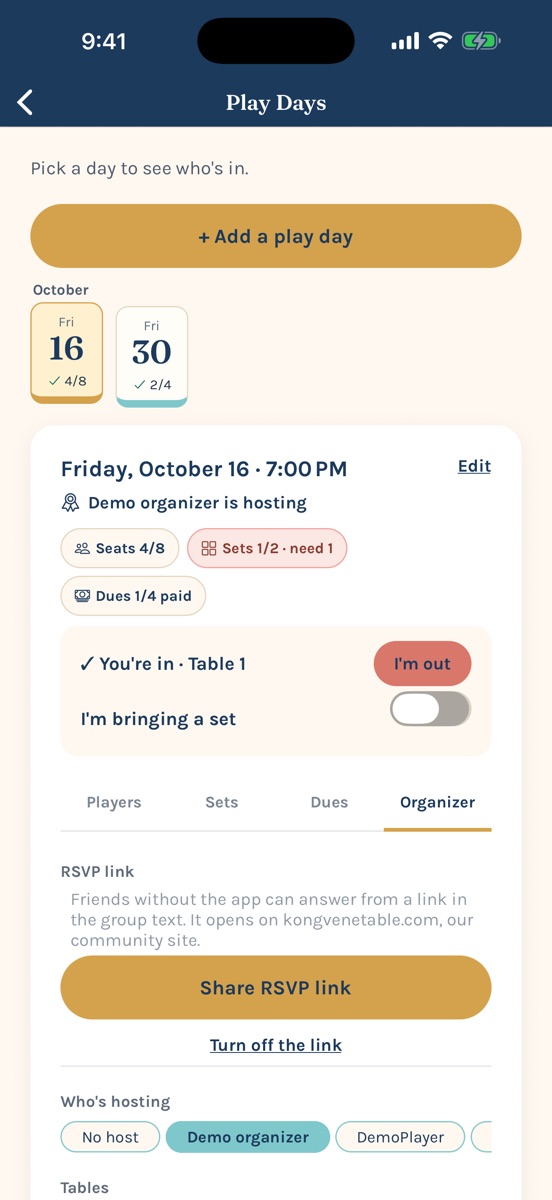
Organizer tab with the Share RSVP link button
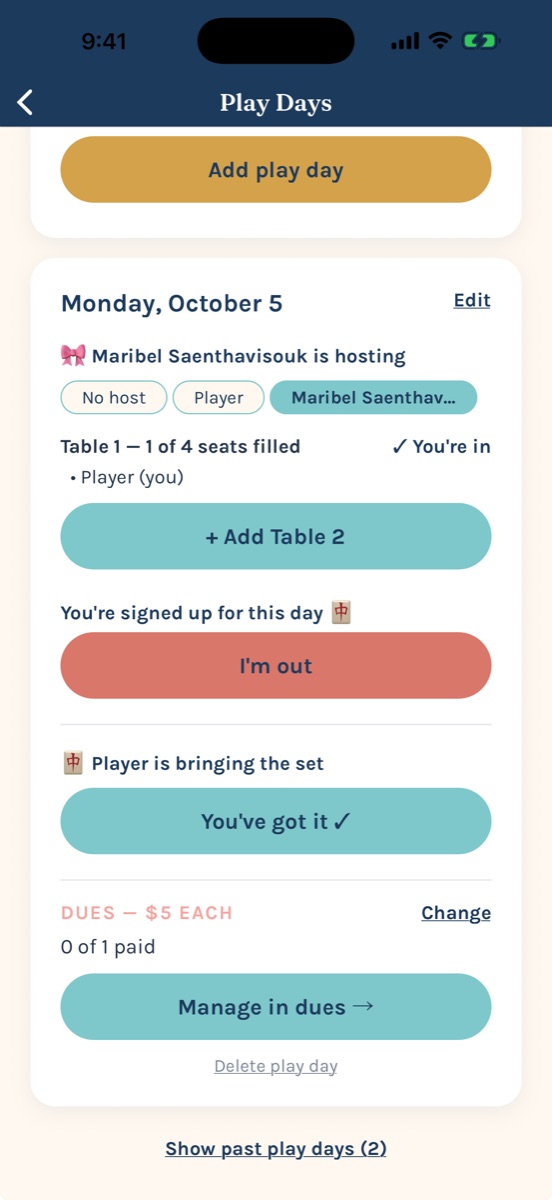
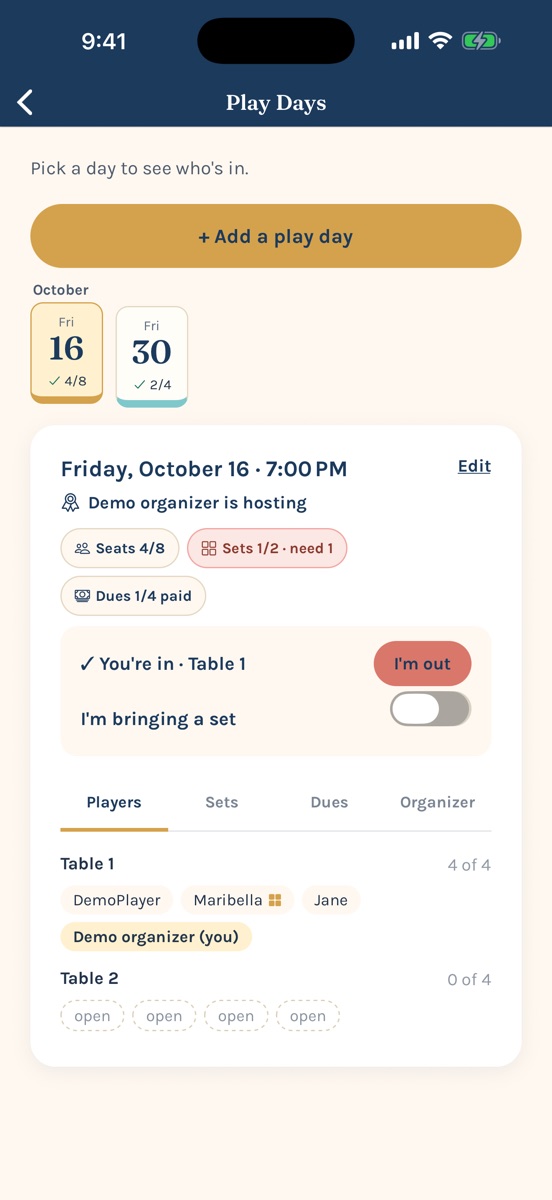
Play day card with seats, sets, dues, and tabs

A set for every table, on a card with tabs

Turn on “I’m bringing a set,” add a note if you like, and each play day shows how many sets it still needs: one per table. The play day card now has tabs (Players, Sets, Dues, and Organizer), so everything’s one tap away instead of a long scroll.

Activity, newest first

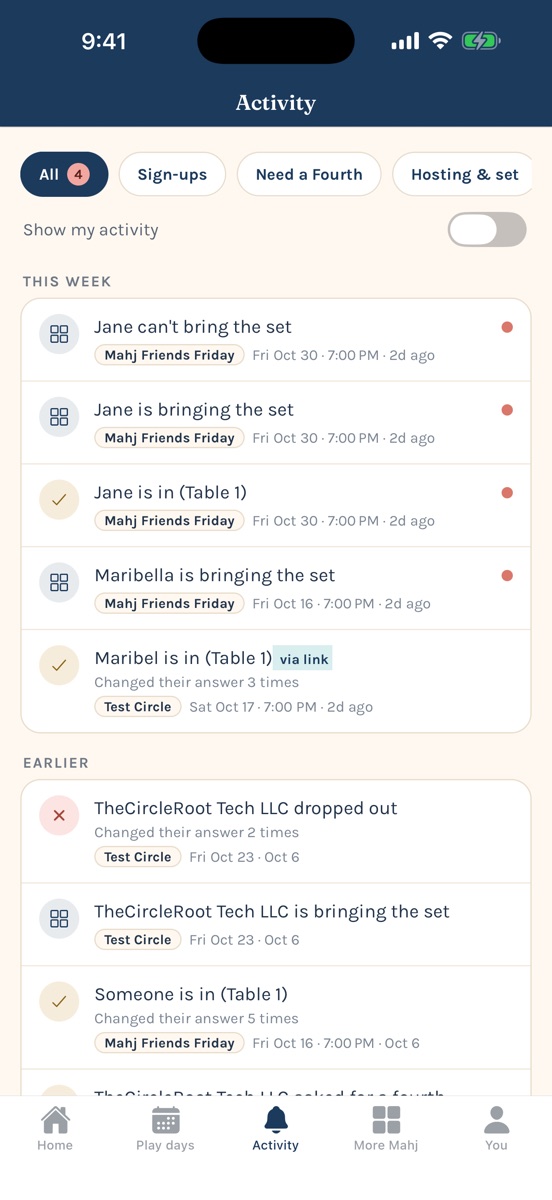
One list, newest first, split into Today, Yesterday, This week, and Earlier. Filter to sign-ups, Need a Fourth, hosting and sets, or schedule changes. A dot marks anything new since you last looked, repeat answers are merged into one line, and a Need a Fourth call stays pinned at the top while the seat is still open.

Activity tab with filters and new-item dots

Fixed: “Player” at the table

Some members who use Sign in with Apple were showing up as “Player.” That was our bug, not theirs. They’re asked for their name the next time they open Kongvene, and anyone can change their name on the You tab. Seats left by deleted accounts now say “Former member,” and organizers can remove them.

Organizer tools

Circle owners can remove members, and organizers hear when someone new joins. Moving a play day keeps its RSVP link working.

Forgot your password?

Reset it from the sign-in screen. And signing out now stops that phone from getting your alerts, which helps on a shared iPad.

Privacy and security

Your email and notification details are no longer visible to other members, only the people in a circle can see its play days, and members can only change their own seats.

Say hello to The Kongvene Table

Our community, formerly Mahjong Mamis, has a new name and a new home at kongvenetable.com. The app’s links point there now.

Earlier: version 1.3.0

A new Home, and tabs for everything

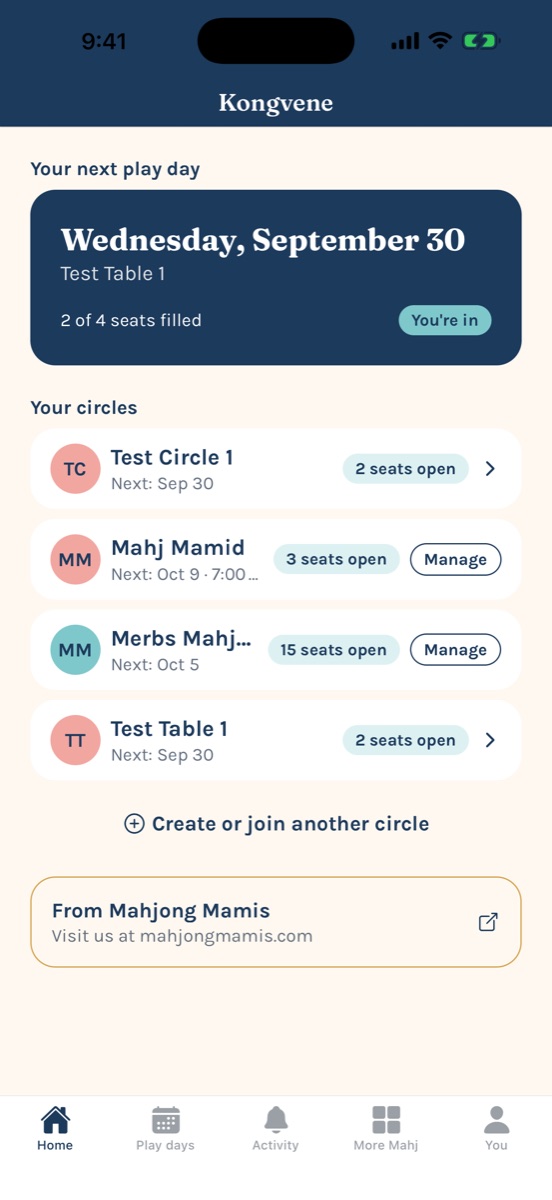
Home shows your next play day and every circle at a glance, with open seats right on each one. New tabs put the rest one tap away: Play days lists every circle’s schedule in one place, Activity keeps you in the loop, More Mahj has resources for players, and You holds your settings.

Kongvene Home tab
A play day with start time, tables, host, the set, and dues

Bigger play days, with start times

Play days now hold up to 4 tables — 16 players. When a table fills, the next one opens automatically, and the subs list catches the overflow. Add a start time when you schedule, and organizers can edit the date, time, or note later without touching anyone’s seat.

One Activity feed for all your circles

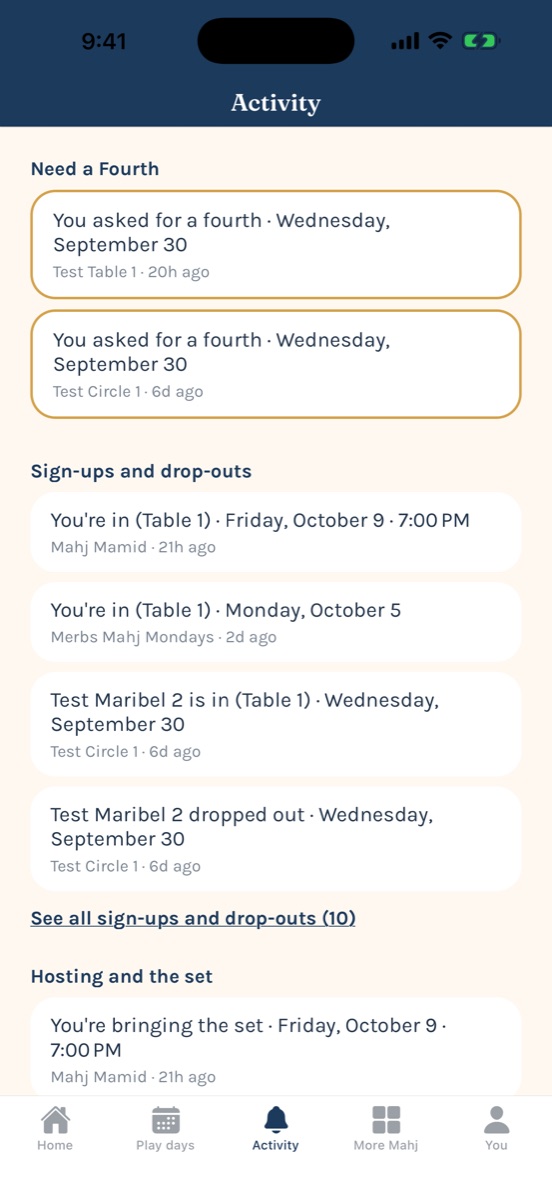
Sign-ups and drop-outs, hosting and the set, schedule changes, and Need a Fourth requests — sorted by type, newest first, across every circle you’re in. Open a circle’s activity on its own from the circle screen.

Activity tab grouped by type

Co-organizers

Running a big circle is a team sport. Organizers can make any member a co-organizer, who can schedule, edit, and delete play days, manage tables and dues, and set hosts.

Need a Fourth, finished

Saying “I’m in” to a Need a Fourth now actually takes the open seat — so the roster and the request always agree.

Smarter notifications

Get notified when a play day is scheduled, moved, or cancelled, on top of sign-ups, drop-outs, and Need a Fourth. Tap a notification to jump straight to it. Opt-in, and your choice sticks. No tracking.

Dues without the awkward texts

Organizers can send a friendly reminder with a Venmo link in one tap. Tapped “Mark paid” by mistake? Undo it.

Smoother everywhere

  • Account deletion works the same for email, Apple, and Google accounts.
  • Invite messages include the app link, ready to share.
  • Clearer wording and buttons throughout.
  • Faster, live updates on Play Days and Dues.

Still true

Circles with shareable invite codes · who’s bringing the set · host rotation suggestions · dues tracking with a one-tap Venmo/Cash App hand-off · sign in with Apple, Google, or email · delete your account and data anytime.

Get Kongvene on the App Store Get it on Google Play