 Kongvene
Your mahjong circle,
organized.
Plan your recurring game night without the group-text chaos. Schedule games, see who’s in the moment they sign up, sort hosting, sets, and dues, and never scramble for a fourth again. Friends without the app? They can RSVP from a link.
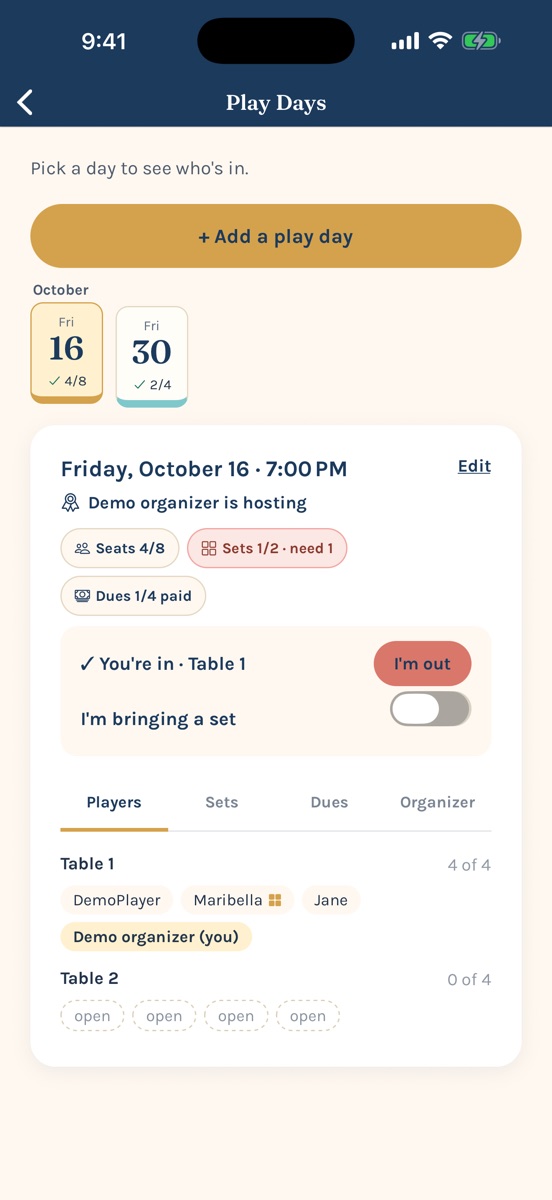
RSVP by link.
No app needed.
Not everyone in your group wants another app, and that’s okay. Share one link in the group text, and anyone can answer from their phone’s browser in a few seconds. Their seat lands at the table like everyone else’s.
- 1Organizer taps “Share RSVP link” on a play day’s Organizer tab and drops it in the group text.
- 2Friends tap it, type a first name, and pick I’m in, Maybe, or I’m out. No account, no download, no password.
- 3It all lands in Kongvene. “I’m in” takes a seat (or a spot on the subs list), marked “via link,” and organizers get the usual heads-up.
Only a first name and an answer are saved. Links stop working when the organizer turns them off, and two days after the game. How it works · RSVP privacy


You’ll know the second your table fills up.
Built for mahjong circles, and just as happy running any “same four-ish people, most weeks” game night.
See who’s in, live
Seats fill in the moment someone signs up or drops out, across up to four tables of four, with a subs list that moves up on its own.
Get notified
A heads-up when someone RSVPs or drops out, joins your circle, needs a fourth, or when a play day is scheduled, moved, or cancelled. Opt-in, no noise.
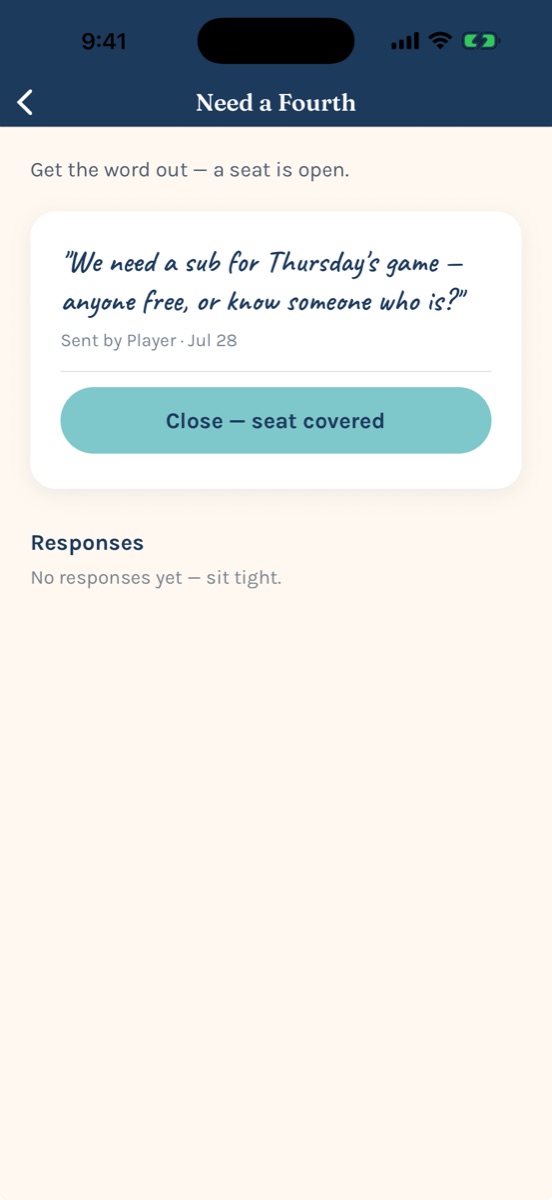
Need a Fourth
One tap pings the whole circle. The first to say “I’m in” takes the open seat.
Hosting & sets
Pick the host for each game night. Anyone can say they’re bringing a set, and each day shows how many it still needs: one per table.
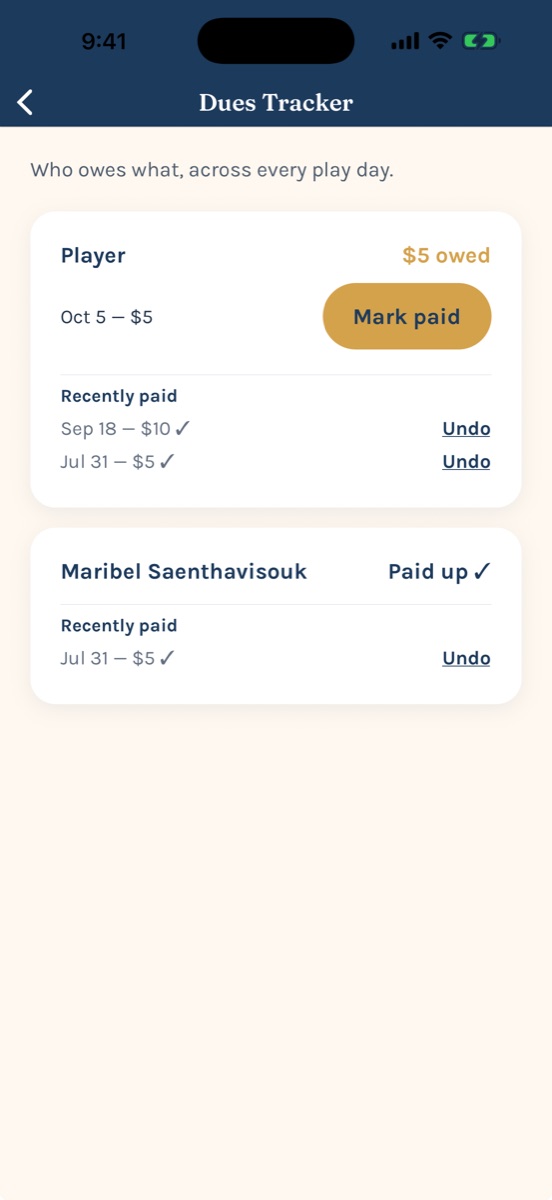
Dues, in one place
See who owes what across every play day, and send a friendly reminder with the organizer’s Venmo link. Kongvene never touches the money.
Activity, newest first
Everything happening in your circles in one list, with filters and a dot on anything new since you last looked.
Six screens, one game night.
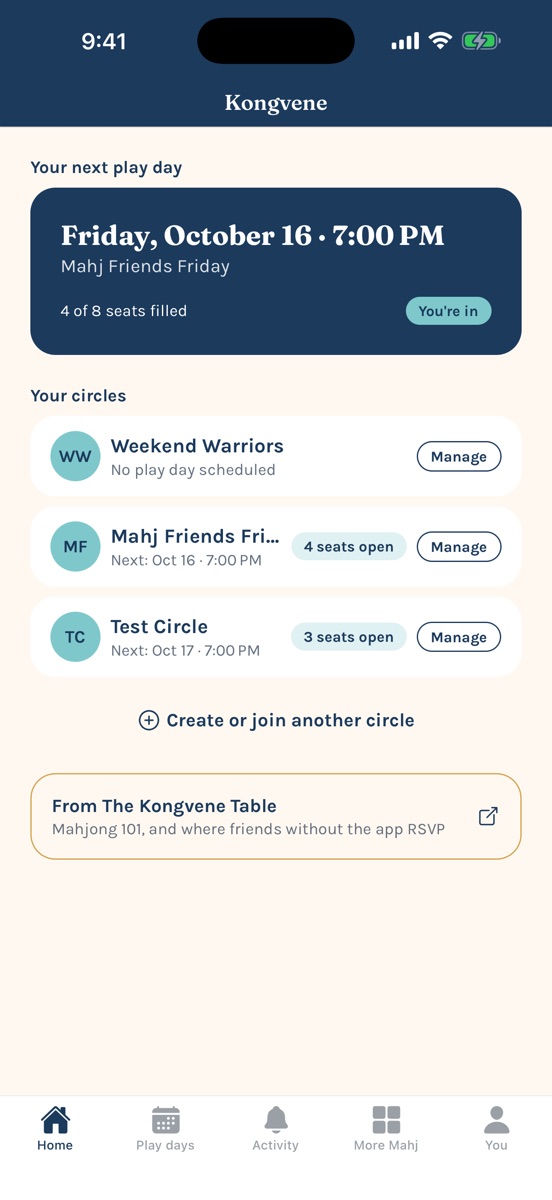
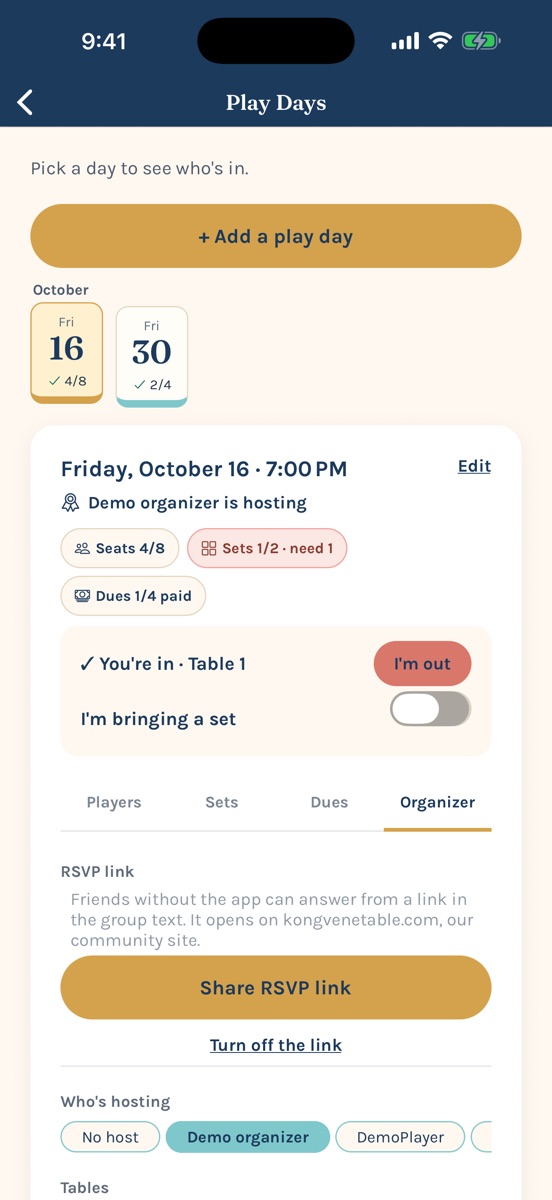
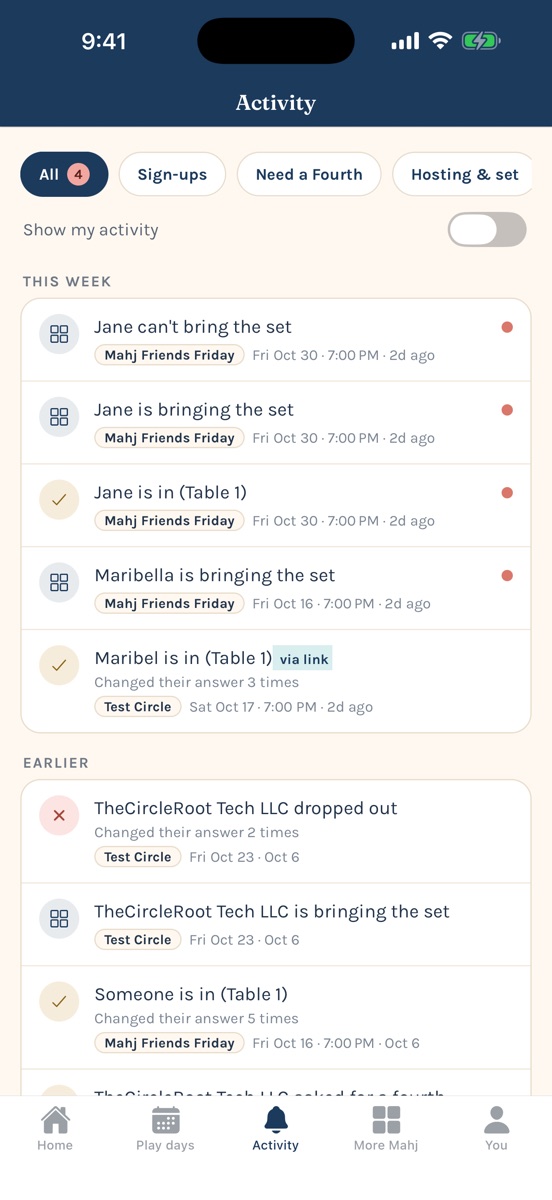
Kongvene 1.3.2
RSVP without the app, a set for every table, a calmer Activity tab, and a round of fixes from our players’ feedback.
Read the full release notes- •RSVP by link: friends without the app answer from the group text.
- •Sets: say you’re bringing one, and see how many each play day still needs.
- •A tabbed play day card: Players, Sets, Dues, and Organizer, with no endless scrolling.
- •A tidier Activity tab: newest first, with filters and “new” dots.
- •Fixed: members showing as “Player.” Change your name anytime on the You tab.
- •Forgot password, organizers can remove members, and stronger privacy and security behind the scenes.
Questions,
answered.
How do I invite someone?
Open your circle → Members → Share invite code. They enter the code when they sign up, then RSVP to any play day themselves.
Does everyone in my group need the app?
No. Organizers can share an RSVP link for any play day, and friends answer from their phone’s browser with just a first name. Organizers need Kongvene 1.3.2 or later to share one.
Do I have to turn on notifications?
No. They’re opt-in and can be toggled any time in the You tab.
Does Kongvene handle payments?
No. Dues are a shared record; you pay each other however your group likes, and reminders can include the organizer’s Venmo link.
Is it only for mahjong?
It was built for mahjong circles, but anything that runs on the same four-ish people most weeks fits fine.
Find your people at The Kongvene Table
Our community (formerly Mahjong Mamis): rules, the card, and table etiquette, plus a Facebook group to talk mahj between play days.